GDPR and Form Data: What Every Developer Needs to Know
April 11, 2026 · 5 min read
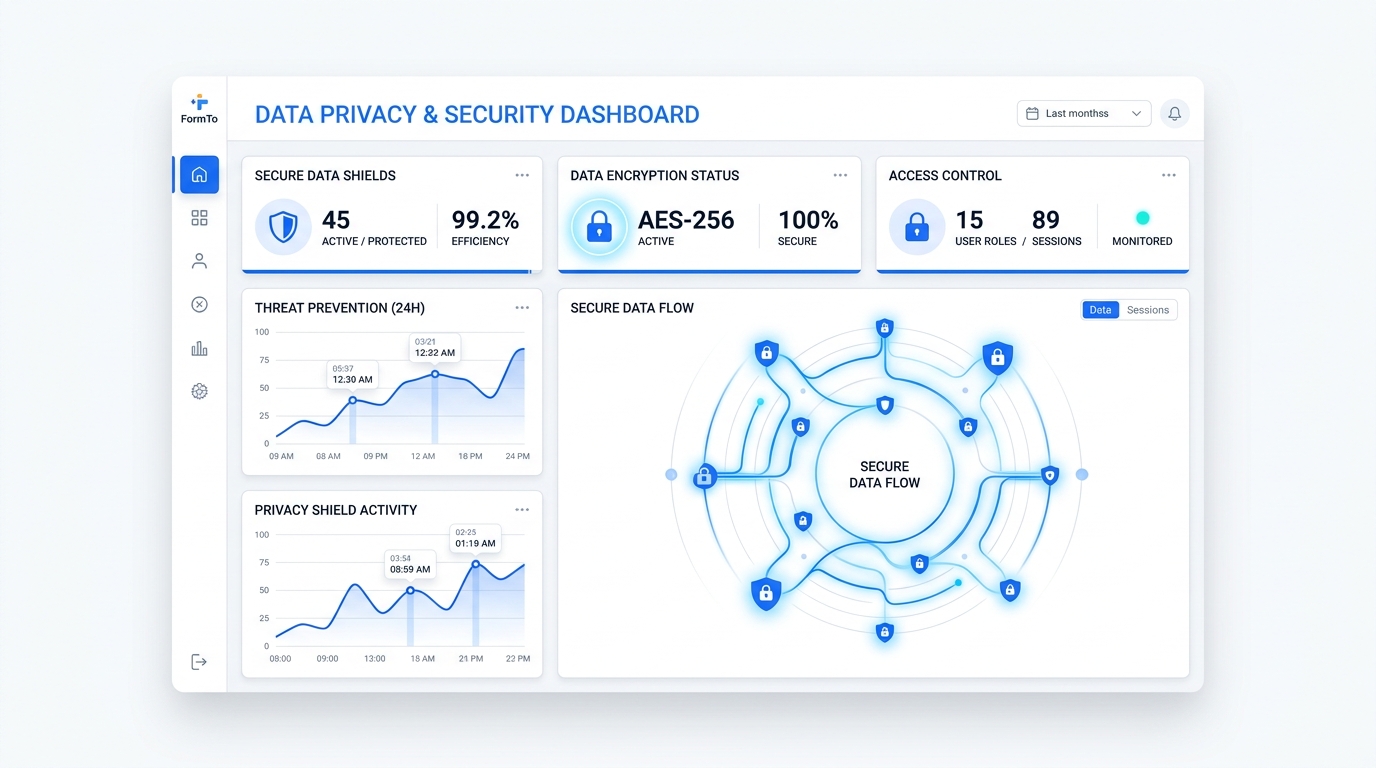
Key Takeaways
GDPR compliance for forms is not just about a privacy policy link at the footer of your website. It requires a technical understanding of how data moves from an input field to your database and how you manage that data over time. For developers, this means shifting focus from simple connectivity to data sovereignty and security by design.
Navigating these regulations involves identifying your role in the data chain and ensuring your infrastructure supports mandatory rights like erasure and residency. When you use a third-party backend, you are essentially delegating technical processing, but you retain the legal responsibility for the data you collect. Choosing tools that align with these requirements reduces your manual maintenance load.
Below is a quick checklist of the core tasks required to ensure your contact forms meet modern privacy standards:
- Define the specific purpose for every form field collected to satisfy data minimization.
- Establish a clear data retention policy and a workflow for manual or automated deletion.
- Verify the physical location of the servers storing your submission data.
- Ensure all data in transit is encrypted via HTTPS and protected against automated bot submissions.
- Sign a Data Processing Agreement (DPA) with any managed service provider you use.
The Developer’s Privacy Burden: Why Form Data is Sensitive
Handling PII (Personally Identifiable Information) creates a legal relationship between you and your users that is governed by specific frameworks like GDPR. Even a simple name and email address field fall under these rules. As a developer or agency owner, you must distinguish between your role as a Data Controller and the role of your tools as Data Processors.
Article 5 of the GDPR focuses on data minimization, meaning you should only collect what is strictly necessary for the form's purpose. If you are building a simple contact form, asking for a phone number or home address without a clear need can create unnecessary liability. Adhering to Article 25, or Privacy by Design, means building these considerations into your stack from the first line of code, rather than trying to patch them in after a site launch.
Data Controller vs. Data ProcessorThe Data Controller (you or your client) decides why and how personal data is processed. The Data Processor (your form backend or hosting provider) handles the data on behalf of the controller according to their instructions.
The burden of proof often lies with the controller to show that they have chosen processors who provide sufficient guarantees for data protection. This is why "duct-taping" solutions with unverified serverless functions can be risky. Without a clear trail of where data is sent and how it is secured, you may find it difficult to fulfill compliance requests during an audit or a user query.
Modern developers often overlook the fact that technical decisions are legal decisions. Every time you point a form action to a URL, you are making a choice about where that data lives and who has access to it. Understanding the implications of these choices is the first step toward a more professional and safe development workflow.
Data Residency: Where Your Submissions Live
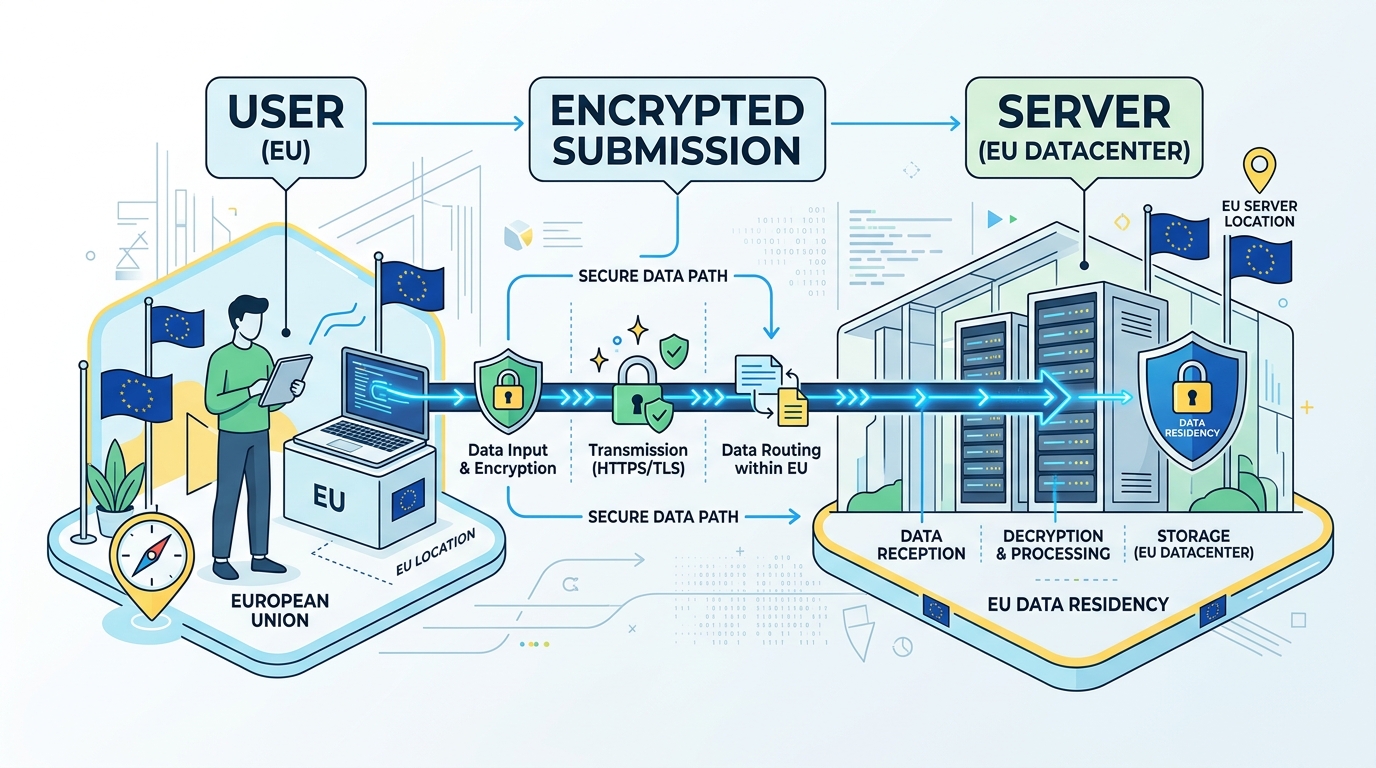
Physical server location is a primary concern for compliance, particularly following rulings like Schrems II which complicated data transfers between the EU and the US. If your users are based in Europe, there is a strong preference-and often a requirement-that their personal data stays within the European Economic Area (EEA). This limits the risk of surveillance by non-EU entities and ensures local privacy laws apply.
Standard cloud providers often default to US-based regions, which may require additional legal safeguards like Standard Contractual Clauses (SCCs). For high-compliance industries, this overhead is often too much to manage manually. This has led many teams to seek out form backends that offer dedicated EU hosting or the ability to self-host the entire infrastructure on their own local servers.
| Feature | FormTo Cloud (Managed) | FormTo Self-Hosted (AGPL-3.0) |
|---|---|---|
| Server Location | EU-based infrastructure options. | Anywhere you deploy (On-prem/Local VPC). |
| Data Control | Managed by FormTo as Processor. | Total sovereignty; no third-party access. |
| Maintenance | Zero overhead; updates are automatic. | User manages Docker/SQLite/Backups. |
| Compliance Ease | High (DPA provided). | Maximum (Data never leaves your network). |
The decision between cloud and self-hosted often comes down to the sensitivity of the data and the resources available for maintenance. Cloud services provide a convenience layer, handling the underlying server security and email deliverability. However, for organizations with strict internal data policies, self-hosting via Docker ensures that not even the service provider can see the submission content.
When evaluating a form backend, verify if they offer transparency regarding their sub-processors. Knowing exactly where the data is stored-whether it is an AWS region in Frankfurt or a private server in London-is a prerequisite for completing a thorough Privacy Impact Assessment. This transparency is what separates professional tools from hobbyist scripts.
Managing Data Retention and the Right to Erasure
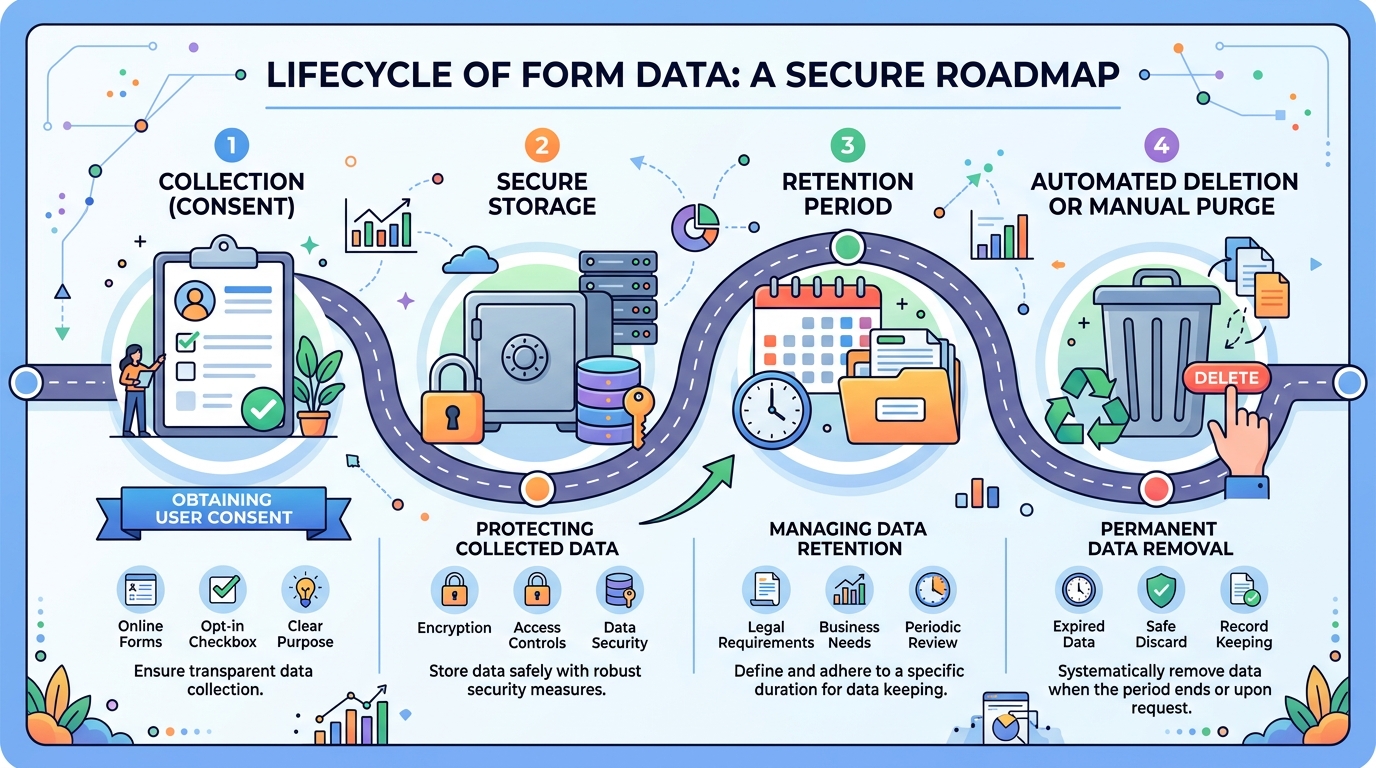
Article 17 of the GDPR, known as the Right to Erasure or the Right to be Forgotten, gives users the power to request the deletion of their personal data. For a developer, this means you must have a way to find and remove specific submissions without destroying the integrity of your entire database. If your form data is scattered across email inboxes and log files, fulfilling this request becomes an operational nightmare.
Implementing a retention policy is the proactive way to manage this requirement. Instead of keeping contact form submissions indefinitely, many companies choose to purge data after 30, 60, or 90 days. This limits the "blast radius" in the event of a data breach. If the data no longer exists on your servers, it cannot be stolen or misused.
When a user submits a Data Subject Access Request (DSAR), you should follow a standardized protocol to ensure accuracy and compliance:
- Verify the identity of the person making the request to prevent data leaks.
- Search your form backend dashboard using the user's email address or unique identifier.
- Export a copy of the data if the user requested a "Right to Portability" (CSV or JSON).
- Permanently delete the submission from the dashboard and any integrated third-party services.
- Confirm the deletion to the user within the legally required timeframe.
Automating these workflows is the only way to scale for agencies managing dozens of client sites. Using an API to trigger deletions or setting global retention rules within your dashboard saves hours of manual work. It also ensures that a human error-like forgetting to delete an email-doesn't lead to a compliance failure.
Data should only exist as long as it is useful. Once a lead has been moved to a CRM or a support ticket has been closed, the original form submission in the backend becomes a liability rather than an asset. Clean data practices are not just about compliance; they represent better engineering discipline.
Securing the Submission Pipeline
Transport Layer Security (TLS) is the non-negotiable baseline for any web form. All submissions must be sent over HTTPS to prevent man-in-the-middle attacks where sensitive data is intercepted in transit. However, security does not stop at encryption; it also includes protecting your endpoint from being exploited by malicious actors or spam bots.
Spam protection is often viewed as a UX feature, but from a privacy perspective, it is a matter of data integrity. Bot-driven submissions can flood your database with junk or malicious links, making it harder to manage legitimate user data. Using techniques like honeypot fields-hidden inputs that only bots fill out-allows you to filter noise without bothering real users with intrusive CAPTCHAs.
Field-level security is another consideration for advanced use cases. If you are collecting files, you must ensure that those attachments are stored securely and are not publicly accessible via a guessed URL. A secure form backend should provide signed or protected links for file downloads, ensuring only authorized team members can view the content.
By delegating the submission pipeline to a dedicated infrastructure provider, you benefit from their ongoing maintenance of security headers and filtering logic. This allows you to focus on the frontend experience while knowing the backend is hardened against common web vulnerabilities. Security is a moving target, and having a managed layer helps you stay ahead of new threats.
How FormTo Simplifies Compliance for Developers

FormTo was built to solve the specific friction between rapid development and strict compliance. Instead of writing your own backend code and managing your own security patches, you point your HTML form to a hosted endpoint. The platform handles the heavy lifting of storage, spam filtering, and notifications, providing a single dashboard to manage all your submissions.
One of the most significant advantages for privacy-conscious teams is the choice of deployment. You can use the FormTo Cloud for immediate convenience, benefiting from built-in deletion tools and CSV exports. For clients with higher security requirements, the self-hosted AGPL-3.0 version allows you to run the exact same software on your own infrastructure, keeping every byte of data under your direct control.
Consider how different project requirements change your implementation strategy:
- Scenario A: A freelance developer building a portfolio for a local business. They use FormTo Cloud to get the site live in minutes, relying on the hosted dashboard to handle client hand-offs and basic lead management.
- Scenario B: A healthcare tech startup building a patient intake form. They choose the FormTo self-hosted version deployed on an internal VPC to ensure that sensitive health data never leaves their secure network, fulfilling strict residency requirements.
This flexibility ensures that you are never locked into a specific privacy model. If a project starts on the cloud and grows to a point where on-premise sovereignty is required, the transition is straightforward. The tool stays the same; only the environment changes. This level of control is rare in the form backend space and provides a future-proof path for growing agencies.
Furthermore, FormTo provides the technical primitives needed for GDPR fulfillment. With API access, you can automate data exports or deletions, and the CSV export feature makes it easy to hand over data to clients during a project wrap-up. By centralizing your forms in one dashboard, you eliminate the "shadow data" that usually accumulates in random email threads and server logs.
FAQ
Do I need a Data Processing Agreement (DPA) with my form backend provider?
Yes. If you are collecting data from EU citizens, the GDPR requires a written contract (DPA) between the Data Controller and the Data Processor. This document outlines how the processor handles data and ensures they meet legal standards. FormTo provides a DPA for its cloud users to simplify this requirement.
Is collecting IP addresses a GDPR violation?
Collecting IP addresses is not a violation in itself, but IP addresses are considered personal data. You must have a valid reason for collecting them-such as security and fraud prevention-and you must disclose this in your privacy policy. Many developers choose to anonymize or stop collecting IPs to further minimize data risk.
Does the FormTo self-hosted version have different privacy features than the cloud version?
The core privacy features are identical, but the self-hosted version gives you ultimate control over the infrastructure. While the cloud version is managed on secure EU-based servers, self-hosting allows you to keep data on your own hardware, behind your own firewalls, with zero third-party access or telemetry.
How can I automate the deletion of submissions after 30 days?
You can use the FormTo API to build a simple script that queries and deletes submissions older than a specific date. This allows you to enforce a strict data retention policy without manual intervention. On certain plans, these retention rules can be managed directly through the dashboard settings.
Next steps for managing form data
Evaluating your current data flow is the first step toward a more secure and compliant setup. Take a moment to audit your existing contact forms and identify where the data is stored, who has access to it, and how long it remains on your servers. If you find yourself manually managing submissions across multiple platforms, it may be time to centralize your workflow.
If you prioritize ease of use and rapid deployment, you can start with a free FormTo cloud account to test the hosted endpoints and dashboard features. For teams requiring total data sovereignty, downloading the self-hosted version is the most effective way to ensure your data stays on your own infrastructure. Regardless of the path you choose, moving toward a dedicated form backend will reduce your technical debt and improve your compliance posture.
More posts